Choosing an Intelligence Level for Your Conversation
How to select Instant, Medium, or High reasoning modes in the chat interface and when to use each one.
Written By GoMarble
Last updated 4 months ago
What is the Intelligence Level selector?
The intelligence level selector is a dropdown in the chat input area that controls how deeply GoMarble AI reasons before responding. You can choose a different level for each conversation depending on how much detail or speed you need.
The three intelligence levels
Instant - GoMarble responds more quickly but with lighter analysis. Best for simple, straightforward questions where speed matters more than depth.
Medium - The default setting. Balances response speed with thorough reasoning. A good fit for most everyday questions and analyses.
High - GoMarble works through more data before responding. Takes longer, but produces more thorough, detailed answers. Best for complex questions where accuracy and completeness are the priority.
How to change the intelligence level
Open a conversation in GoMarble AI.
Locate the dropdown next to the message input area.
Select Instant, Medium, or High.
Type your message and send as usual.
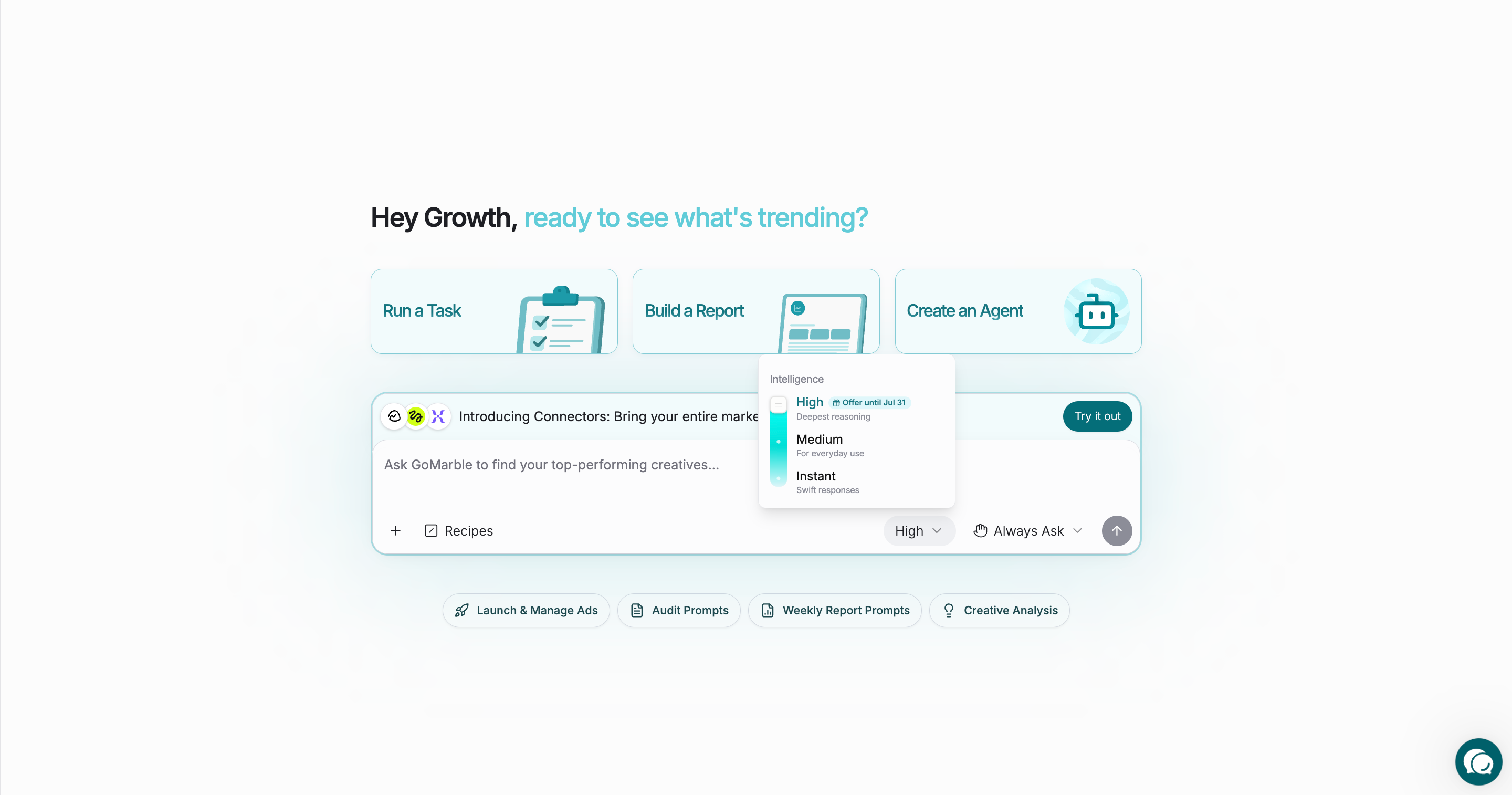
Your selection persists for the duration of that conversation, so you do not need to reselect it with every message.
When to use each level
Use Instant when
You need a quick answer to a simple question.
You are iterating rapidly and want shorter response times.
Use Medium when
You want balanced performance for everyday analysis tasks.
You are unsure which level to pick - Medium is the safe default.
Use High when
You are investigating a complex performance issue across multiple campaigns or channels.
You want the AI to consider more data before drawing conclusions.
Response time is less important than the quality and completeness of the answer.
Was this helpful?
Still need help? Share an idea